Selling capacity
Connect a source, publish model offers, and track earnings.
Connect a source
Open Sell → Create new listing. Choose API key provider or Subscription provider, then select the provider.
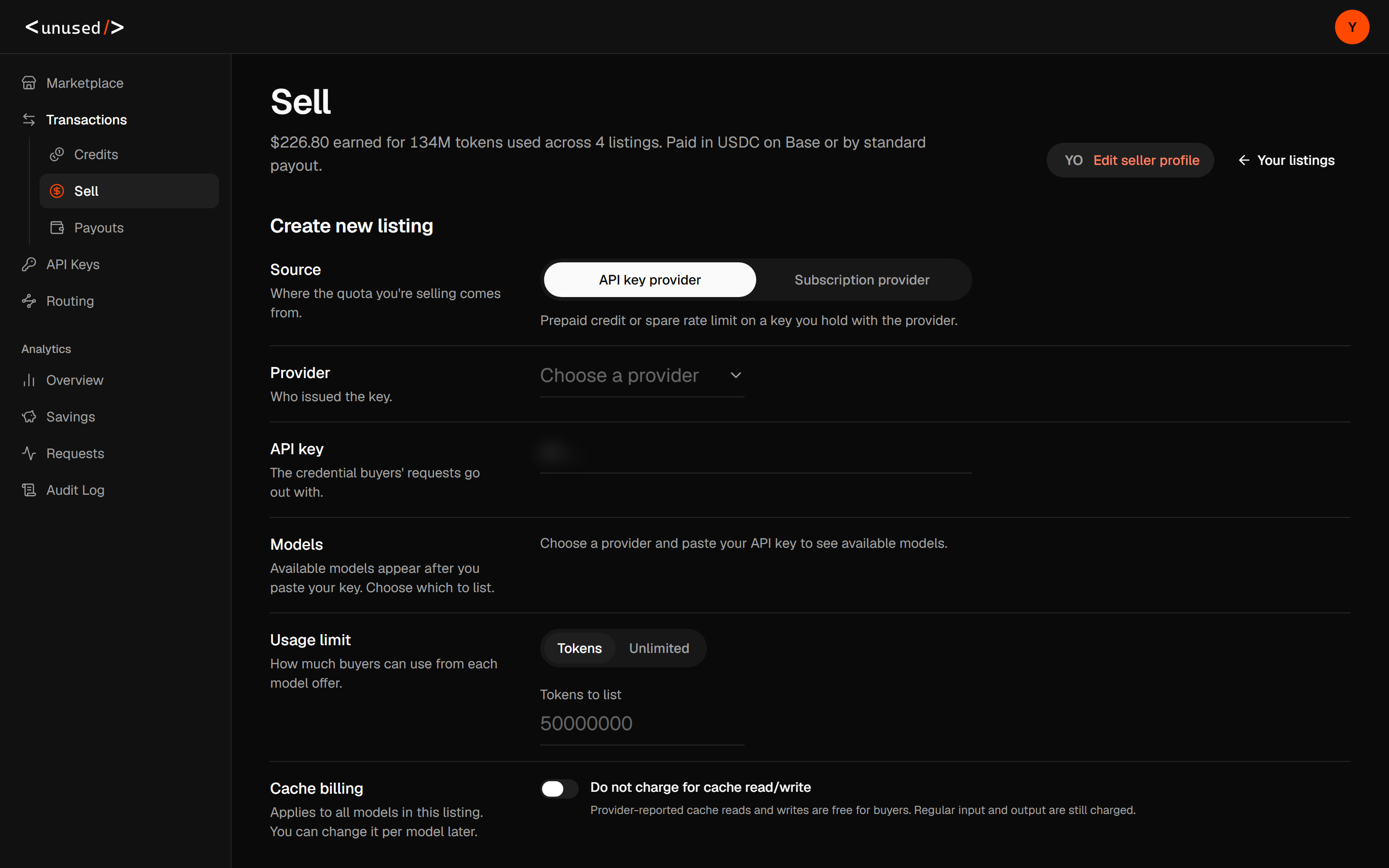
For an API key, paste your provider credential in the form. Available models appear after detection. Select the models you want to list. Creating the listing verifies the selection again before publishing the offers.
For a subscription, use the connection flow displayed for that provider. OpenAI connections use a Codex auth.json sign-in import. Anthropic connections can expose account authorization or a web-session import. Cursor has its own account connection when available. A provider appearing in the selector does not by itself establish that a connection is available or supports inference.
Keep provider credentials in the connection form. Buyers use their own unused.market key; they do not need your provider credential. Web-session offers have different capabilities from native API offers, including text-only restrictions and estimated usage. See Models.
Set models, rates, and a usage limit
- Select the detected models to publish.
- Set Usage limit to a token cap or Unlimited, as available for the source.
- Enter Global discount and select Apply to all models, or adjust Individual prices.
- Review Cache billing.
- Select Create listing.
The discount applies to selected models' reference input and output rates. It is a fixed price snapshot: prices stay unchanged until you edit them. Individual prices lets you set each model's input and output USD rate per million tokens. If a reference price is unavailable, enter manual rates; reseller catalogs can initially skip those models with Skip models without prices.
Connected accounts do not offer percentage-of-plan quotas. A token limit controls what you list here; the provider's own limits still apply even with Unlimited.
Enable Do not charge for cache read/write to offer free cache: provider-reported reads and writes cost buyers zero. Other input and output remain billable. You can change this per model after creation.
Manage offers and prices
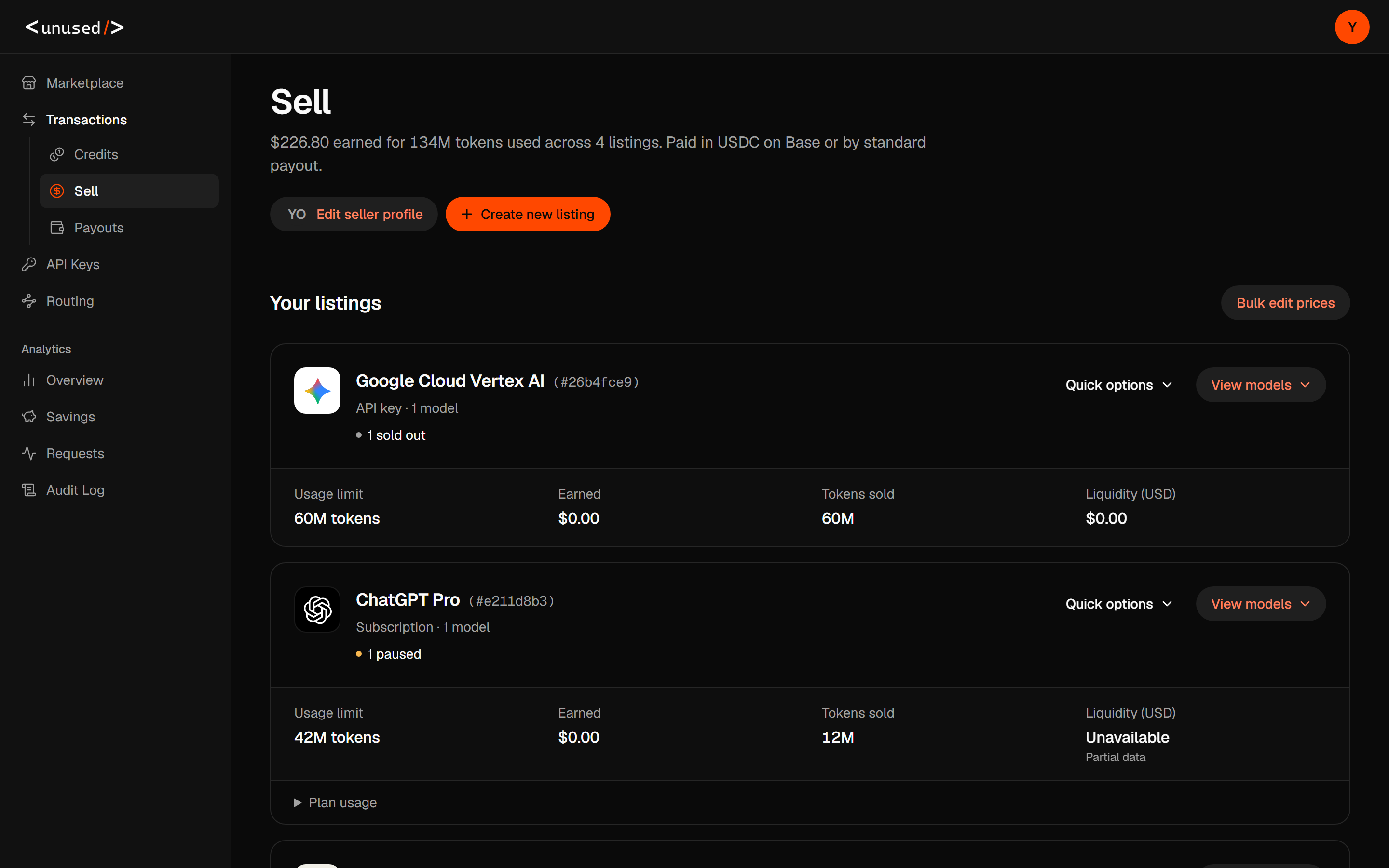
Expand a source card to edit or pause individual offers. Its quick options include Disable the listing, Resume the listing, and Remove all listings. Resume affects paused offers with usable capacity; it does not refill depleted token caps.
Select Bulk edit prices to update multiple offers. Review selected offers and their input, output, and optional cache-read rates, then save. Selected prices are validated and saved together. Requests already admitted retain their captured prices; later requests use the new rates.
Provider authentication failures can pause offers automatically. Correct the provider credential or reconnect the account before resuming. Analytics → Audit Log → Listings records listing changes.
On an OpenAI connection, Refresh models reloads its account catalog. It preserves existing prices and creates no new offers; models removed from the catalog have their offers paused. Select and publish new models separately.
Read the source card
| Field | Meaning |
|---|---|
| Status counts | Number of models in each displayed offer status. |
| Usage limit | Selling limit you configured for the offers. |
| Earned | Lifetime settled seller proceeds after platform fees, including amounts already withdrawn. |
| Tokens sold | Tokens sold by the source's offers. |
| Liquidity (USD) | Reported balance or estimated API-equivalent capacity value, when available. |
| Plan usage | Reported remaining usage windows and reset times, with calculation notes. |
Subscription liquidity is an estimate, not cash or a guaranteed allowance. Read Estimated API value, Partial data, and Last reported as qualifications. Multiple offers can share the same underlying account capacity; do not add shared values as independent balances.
Request a payout
Open Payouts, choose Payout method, enter the receiving details, and select Save payout method. For the standard methods, Request payout reserves the available earnings for review. Submitting a request does not mean payment has been sent.
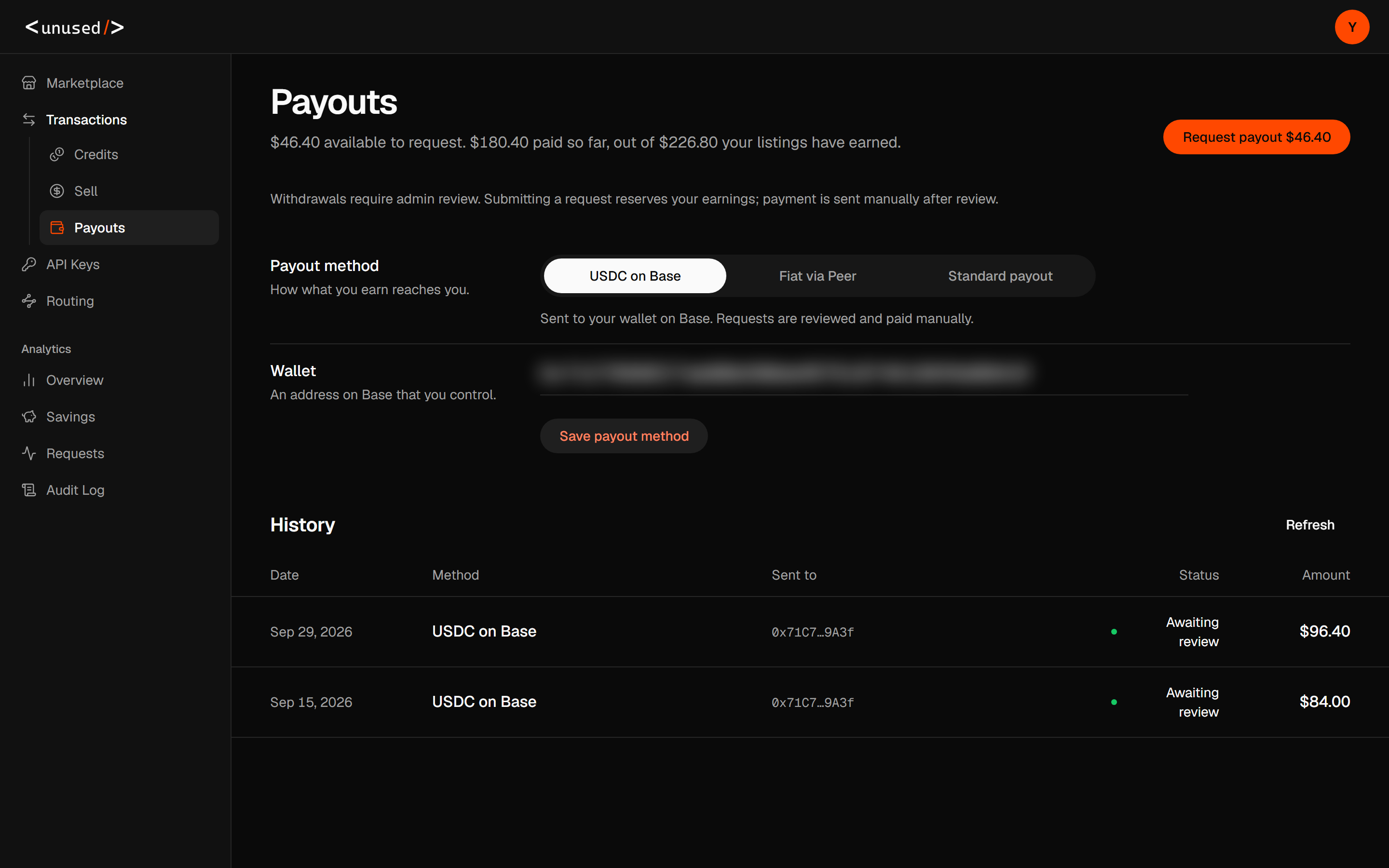
The page distinguishes available earnings, amounts paid so far, and total earned. History shows the amount, destination, method, and progress. Withdrawals require review and manual processing, including Fiat via Peer. If that method is available, follow its receiving-account, preview, and confirmation flow; the quoted fiat amount is an estimate and provider availability can vary.
Use the displayed review status and notes to follow a request. There is no promised payout completion time in this guide.